
VidVid creation guide
Seedance 2.5 Video Generator
Create cinematic 4-30 second videos with native audio, flexible formats, reference-led generation, video editing and extension.
By VidVid · Updated
Key strengths
- Up to 30-second sequences
- Native synchronized audio
- Generation, editing and extension
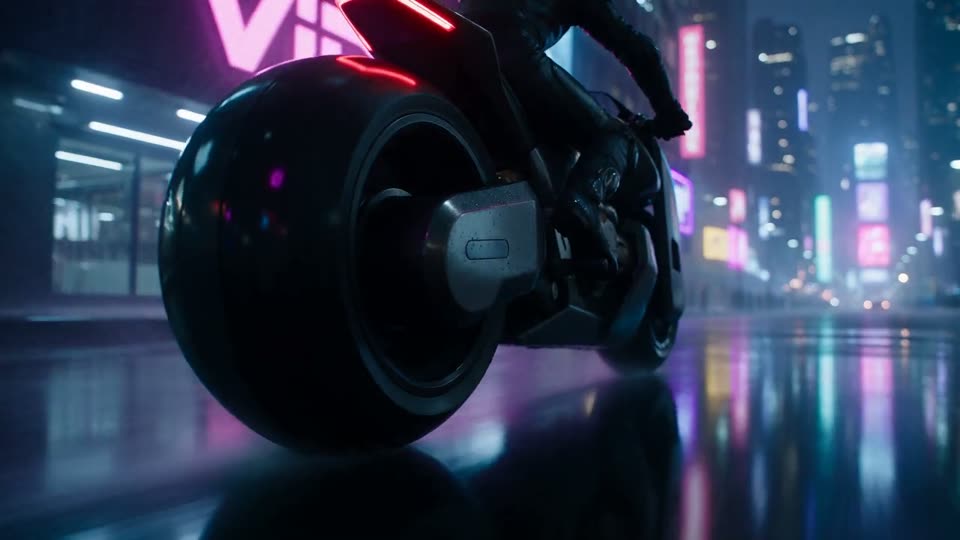
Image illustrates a VidVid workflow and is not presented as a controlled model benchmark.
Step-by-step workflow
- Choose a model and workflow for the asset goal.
- Generate a test with a focused prompt and the shortest supported duration.
- Review the subject, camera and any required text or audio; revise one issue at a time.
- After approving the direction, choose final duration and resolution from the supported options.
Pre-generation checklist
Goal
Is this clip for clicks, product clarity, visual exploration or a social hook?
Inputs
Do you need to preserve a face, product photo, logo, packaging text or first frame?
Camera
Specify push-in, orbit, handheld, locked-off or transition behavior, not just mood words.
Output
Choose 9:16, 16:9 or 1:1 before setting duration and resolution.
Prompts you can use
0-5s: a runner enters a rain-soaked neon alley. 5-10s: handheld tracking shot, footsteps and rain only, no music.
Preserve the subject and motion. Change the scene to golden hour, add warm rim light and realistic long shadows.
Continue the clip naturally: the camera pulls back as the city skyline appears through the fog.
A 9:16 product teaser for VIDVID: first second shows the finished clip on a phone, then a fast studio whip-pan reveals the product, energetic camera, clean no-subtitle layout.
A cinematic travel beat: 0-6s quiet train window reflection, 6-12s city lights pass across the face, 12-18s soft pull-back with natural station ambience.
FAQ
Is Seedance 2.5 Video Generator beginner-friendly?
Yes. Start with the shortest duration supported by the model to validate subject, camera and lighting before increasing duration or resolution.
How long should the prompt be?
Write the subject, motion, camera, lighting, format and sound requirements clearly. Avoid packing too many scene changes into one prompt.
When should I use image-to-video?
Use image-to-video when you already have a product photo, portrait, poster or first frame. Focus the prompt on motion and camera while preserving the subject.
How do I reduce iteration cost?
Use short, lower-resolution tests for A/B comparison, then render the final version after the model, composition and rhythm are stable.