
VidVid creation guide
GPT Image 2 AI Generator
Generate and edit high-quality images with strong prompt following, readable typography and output up to 4K.
By VidVid · Updated
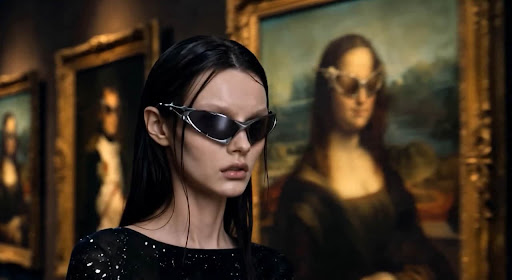
Key strengths
- Readable poster and ad copy
- Natural-language image editing
- 1K, 2K and 4K output
Image illustrates a VidVid workflow and is not presented as a controlled model benchmark.
Step-by-step workflow
- Define the image purpose, aspect ratio and reference details to preserve.
- Specify the subject, composition, style and exact text, then generate a draft.
- Inspect typography, subject details and edges at full size.
- Revise one issue at a time, then download the approved image.
Pre-generation checklist
Purpose
Choose the image purpose and aspect ratio for a poster, ad, product image or social asset.
References
Prepare product, person, logo or composition references to preserve.
Text
Specify exact headlines and copy, then review spelling in the output.
Details
Inspect subject appearance, edges, lighting and layout spacing.
Prompts you can use
Create a premium skincare poster. Headline: "LESS, BUT BETTER". Minimal Swiss layout, warm ivory background, precise product reflections.
Keep the product unchanged. Replace the background with a sunlit travertine studio and add a soft botanical shadow.
Create a 16:9 launch banner with readable headline "THE NEXT CHAPTER" and a cinematic midnight-blue gradient.
Edit the uploaded app screenshot into a clean launch hero, keep UI readable, add soft glass reflections and a restrained product shadow.
Create three square ad variants for VIDVID: one luxury, one energetic, one minimal. Keep typography readable and leave space for a CTA.
FAQ
What should an image prompt include?
Specify the subject, composition, lighting, style, aspect ratio and any text that must appear accurately.
How should I review a generated image?
Inspect text, product appearance, edges and composition at full size, then revise the prompt or reference for one issue at a time.